





Key takeaways
- A Shopify returns portal is the page where customers start a return, pick their items and choose a refund, exchange or store credit, and Shopify's free self-serve returns is enough for small stores.
- Move to a dedicated returns portal when volume climbs, you sell internationally, or you need labels from your own carriers, return rules, exchange discount codes and analytics.
- When you compare portals, check the small things too, like how variants are named to customers, which return reasons they see and whether tracking numbers are accepted the way receipts print them.
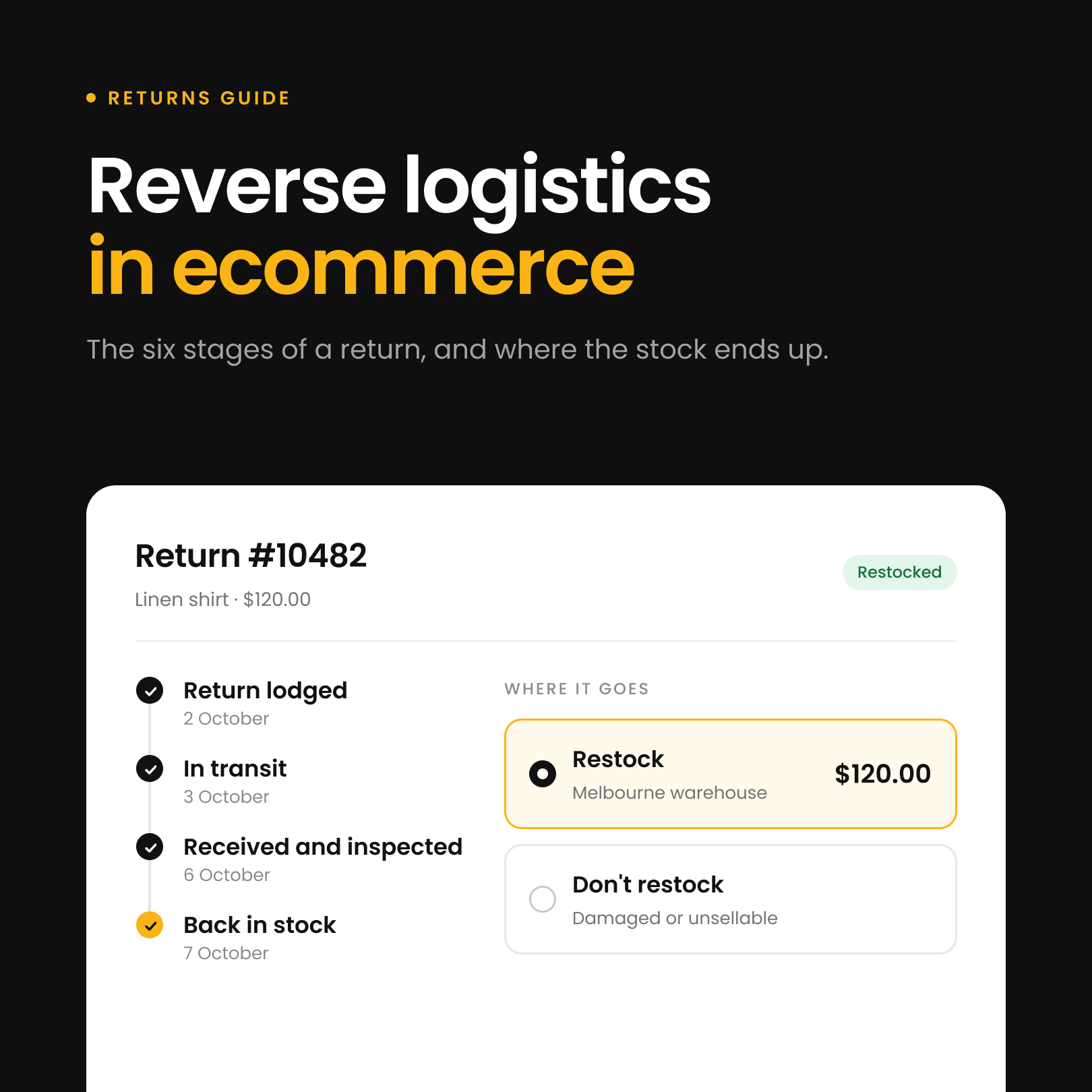
Returns are part of every online store, and the way you handle them can be the difference between a frustrated customer and one who orders again. A Shopify returns portal is the page where customers start a return themselves, choose what they are sending back, and pick a refund, an exchange or store credit. You don't need a complex one on day one. Start with what Shopify gives you for free, and level up when your volume and your customers ask for more.
Start with Shopify's free self-serve returns
Since February 2023, Shopify has given merchants a free option called self-serve returns. It is built into Shopify and lets customers request a return from their account on your store. You review those requests in your admin, approve or decline them, and send instructions or a return label if you choose. For a small store that only sees the occasional return, this is more than enough. It costs nothing extra, it is easy to set up, and it gets returns out of your email inbox.
It does have limits. Shopify can create return labels, but only for domestic US returns through Shopify Shipping, and it doesn't connect to other carriers or your other systems. It doesn't give you detailed policy controls, such as blocking specific items from being returned or offering bonus credit to customers who take store credit instead of cash. It also doesn't offer instant exchanges or instant refunds. If your business is small, those gaps won't matter much, because you can still do things by hand. As you grow, they will.
When to move beyond Shopify's built-in returns
The point at which self-serve returns stops being enough is usually when volume increases. If you are suddenly managing dozens or hundreds of returns each month, approving requests one by one becomes a full-time job. If you start selling internationally, you will need carrier integrations and automatic labels. If your catalogue grows, you will need rules for exceptions and items that can't be returned. And as your customers get used to shopping with you, they will expect fast exchanges and refunds, not a wait while you approve each case by hand.
This is when you should start looking at dedicated Shopify returns apps. They give you a branded returns portal that feels like part of your store, create labels as soon as a return is approved, and show you which products come back most and why.
What a Shopify returns portal should offer as you grow
Once you are comparing returns portals, these are the things worth checking. We use Refundid as the example for each one, because it is the portal we build and we can tell you exactly how it works.
Return labels from the carriers you already use
A returns portal should create a label as soon as a return is approved, with the carriers you already ship with and in the countries you sell to. Refundid connects directly with carriers and shipping platforms, so customers get their label straight away instead of waiting for you to make one. If you are still doing this by hand, here's how to create a Shopify return label.
Rules for what can be returned and how
Your policy will have exceptions, like final sale items, longer windows for loyal customers or a bonus for choosing store credit. A good portal lets you set these as rules so the portal applies them for you. In Refundid you build these as flows, based on things like the product, its tags, the customer and their past returns. If you haven't written your policy down yet, start with our guide on how to write a Shopify return policy.
Return reasons that fit what you sell
The reasons you ask customers for are how you learn why things come back, so they should match your products. In Refundid you can keep several groups of return reasons, for example one for clothing and one for homewares, and make any of them the default group that every customer sees. You don't need to build a flow to switch it. Flows can still show a different group for particular products or customers when you want them to.
Product names customers recognise
Store data doesn't always read well to a shopper. A variant called "S" could mean Small on a t-shirt and Short on a pair of pants. A returns portal should let you show clearer names without changing your Shopify catalogue. In Refundid you set default renames, so "S" shows as "Small", then add product tag rules, so on products tagged pants "S" shows as "Short" instead. Customers see the renamed variant everywhere in the return, from choosing their items through to the exchange options, the confirm page and the final screen.
Discount codes on exchanges
Exchanges keep the sale, but they get awkward when a customer swaps to something that costs more and has a discount code from your latest email. A good portal lets them use it. In Refundid, customers can enter a Shopify discount code when they confirm an exchange. The code is checked against Shopify straight away, so it only goes through if it is valid for what they are ordering, and the confirm page shows the items, any bonus credit and the discount as separate lines. This is off by default. You turn it on in your settings, separately for swaps to another size or colour and for exchanges to a different product. For more on running exchanges, see how to handle exchanges on Shopify.
A clear price for exchange shipping
Exchanges are one of the first things to get messy as you grow, mostly because someone has to decide who pays to send the new item out. Some stores charge a flat fee. Some use the same rates customers see at checkout. Others make it free, because keeping the sale is worth more than the postage. Any of these can work. Just pick one on purpose, and make sure your returns portal shows customers the same price they will actually pay.
In Refundid you set this on each resolution. You can enter a fixed price, or use one of your Shopify shipping options at its normal price or for free. If you also take returns in store, your staff can change the shipping cost when they lodge an exchange for a customer, and it is free by default when they choose a store location to send the new item from. You can also set a rule that refunds the shipping a customer paid on their original order, which is handy when the return was your mistake.
Tracking numbers accepted the way customers type them
When customers post items back with their own postage, they need to give you a tracking number, and they will copy it exactly as their receipt prints it. Australia Post receipts print tracking numbers with spaces between groups of digits. Refundid accepts the number as it is printed and takes the spaces out itself, so a real tracking number isn't rejected as invalid and a small formatting difference doesn't hold up the return.
Return analytics you can act on
A portal should tell you more than how many returns you had. Refundid's return analytics show how many return labels customers paid for and how many were free, so you can see what your label policy really costs you. They also show the average time from an order to its return, so you know how long after buying customers usually decide to send something back, which helps when you set your return window.
Why Refundid is built for Shopify stores that are growing
Refundid Returns and Exchanges is built for the point where Shopify's self-serve returns no longer works for you. Alongside everything above, we support instant exchanges and instant refunds to keep customers happy and coming back. And unlike Shopify's self-serve tool, which leaves you on your own if something goes wrong, Refundid gives every client direct support. You can see the full feature list on our Shopify returns page.
Keep it simple until you need more
The right approach to Shopify returns is not to start with the most complicated solution. Start with what is free and built in. Learn how often customers return things, what kinds of requests you get and how much time they take. Then upgrade when the pain points show up. That way you don't spend time and money on tools you don't need yet, and you are ready to scale when you do.
Shopify returns portal FAQs
What is a Shopify returns portal?
It is a page on your store where customers start a return without emailing you. They look up their order, choose the items, give a reason and pick a refund, exchange or store credit. You then approve the return, or let your rules approve it for you.
Does Shopify have a built-in returns portal?
Yes. Shopify's self-serve returns lets customers request a return from their account, and you approve or decline each request in your admin. It is free, but it has no rules engine, and its return labels only cover domestic US returns through Shopify Shipping.
How do I see returns in Shopify?
Returns sit on the order they belong to. In your Shopify admin, open Orders and filter by return status to see every order with a return in progress, then open an order to see its return.
What is the difference between a return and a refund on Shopify?
A return records the items coming back to you. A refund sends money back to the customer. On Shopify you can do either without the other, for example refunding a damaged item without asking for it back. Our guide on how to refund an order on Shopify walks through the refund side.