

.avif)




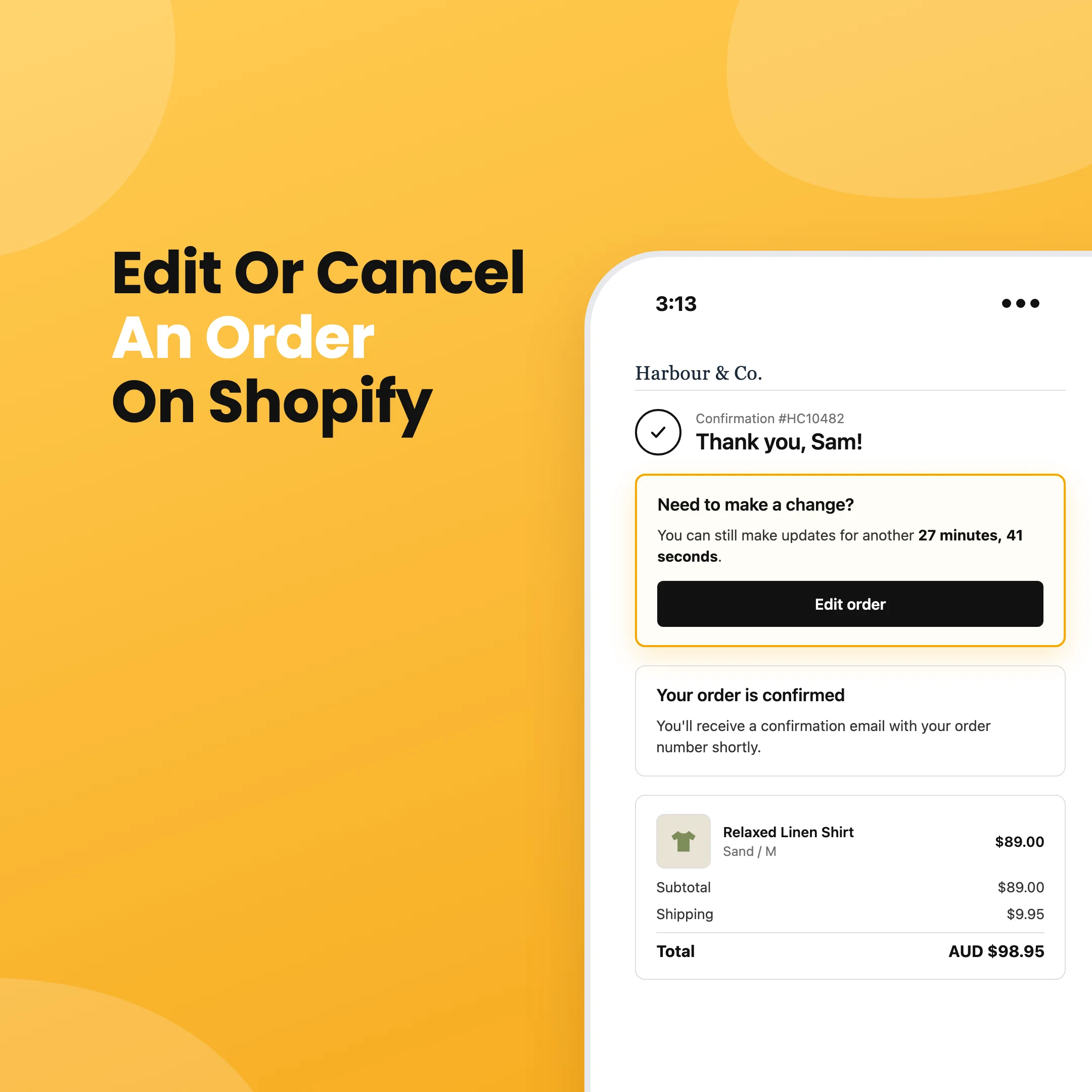
A customer checks out and then spots the problem. They picked the wrong size, or the order is going to their old address, or they forgot the matching belt. Sometimes they just want to cancel.
Out of the box, Shopify doesn't let shoppers fix any of that themselves. They can ask to cancel, but every other change becomes an email to your support team, and someone has to edit the order by hand before it ships. If the warehouse is quick, the wrong order goes out anyway and turns into a return.
An order editing app lets customers fix their own orders in the minutes or hours before fulfilment, without your team getting involved.
Below are the six apps we'd look at in 2026, what each one does well, and who it suits.
What is a Shopify order editing app?
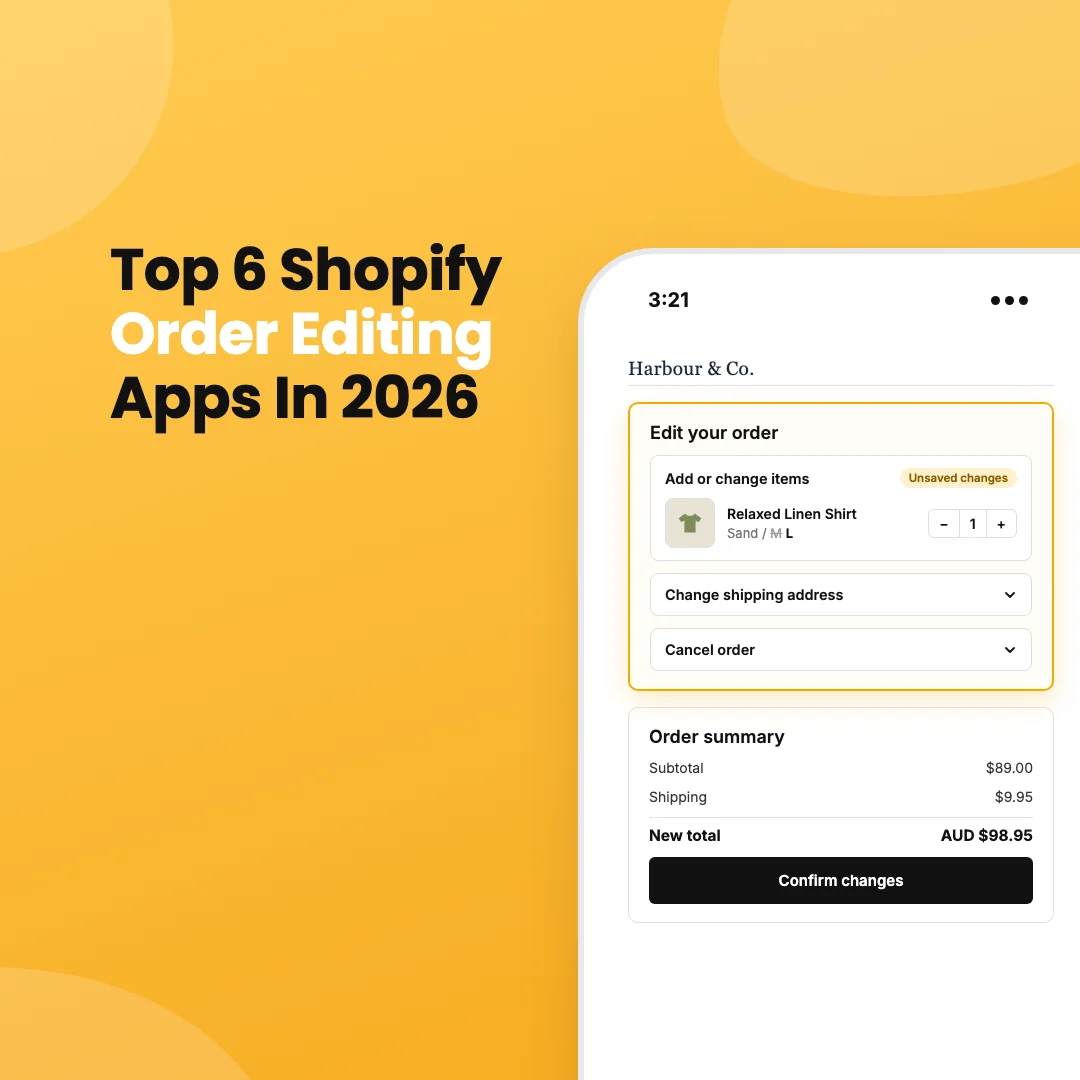
An order editing app lets shoppers change an order after checkout but before it ships. Most add a block to Shopify's thank-you and order status pages, where customers can:
- Swap a size or colour
- Change quantities or remove items
- Add products to the order
- Update the shipping address or contact details
- Cancel the order
The app keeps the money right as the order changes. It collects any extra balance, refunds anything owed, and updates the order in Shopify so your fulfilment team ships the right thing.
Why order editing matters
Order change requests are time sensitive. If the request arrives after the order is packed, it isn't an edit anymore. It's a return, with return shipping, a refund and restocking to deal with.
When customers can make the change themselves, most of that goes away, and you keep revenue you'd otherwise lose. A customer who can swap a size doesn't need to cancel, and one who can add an item to an existing order doesn't need to pay for shipping twice.
The top 6 at a glance
Prices and ratings are taken from each app's Shopify App Store listing in October 2026. Check the listing before you sign up, as plans change.
1. OrderEditing.com
OrderEditing.com is a specialist. Order editing is the whole product, and it has more reviews than any other app in the category.
Customers can change almost anything on the order: address, variants, quantities, shipping method, discount codes, gift notes and delivery dates, as well as adding products or cancelling. The app places its own fulfilment hold while the edit window is open, so orders don't slip into the warehouse half edited. On the back end, it connects to a long list of 3PLs and ERPs, including NetSuite, Brightpearl, ShipStation, ShipHero, Cin7 and Peoplevox.
The catch is price. Plans start at $99 a month for up to 2,500 orders and climb to $599 a month for 10,000 to 20,000 orders, with address validation charged per order on top. For a large store where every order change used to cost a support ticket, that's easy to justify. For a smaller store, it's a lot to pay for one feature.
Key features:
- Customers can change address, items, shipping method, discount codes and delivery date
- Built-in fulfilment hold during the edit window
- Cancellation flows that offer alternatives before the order is cancelled
- Refunds to the original payment method or as store credit
- Integrations with major 3PLs and ERPs
- Unlimited edits on every plan
Pricing: $99 to $599 a month based on monthly orders, plus per-order address validation.
2. Refundid
Refundid is a returns platform, and order editing comes included in the same Shopify app at no extra cost. If you're already using Refundid for returns and exchanges, or you're choosing a returns app anyway, you get order editing without adding another subscription.
After checkout, the thank-you page shows an edit prompt with a countdown. On the order status page, customers can change quantities, remove items, add products from your store, update their shipping address or contact email, or cancel the order.
Changes are staged rather than saved one by one. The customer makes every change they want, reviews an order summary showing the new total and what's owed either way, then confirms once. If they've added items, Shopify's secure payment page collects the balance, and Shopify emails them a payment link too. If the total goes down, Refundid can refund the difference to the original payment method and restock the item automatically.
You choose which edits to allow, how long the edit window stays open (or keep it open until fulfilment starts), and whether refunds and restocking happen automatically. Every edited order is tagged in Shopify and shows in the order timeline, and Refundid keeps a full record of what changed, when and by whom.
The bigger advantage is that everything after checkout sits in one place. The same app handles edits before an order ships and returns, exchanges and instant refunds after it arrives.
Key features:
- Customers can add, remove and change items, update address and email, or cancel
- Staged changes with an order summary, confirmed in one step
- Extra balances collected through Shopify's secure payment page
- Automatic refunds and restocking, if you turn them on
- Edit window you set in minutes, or left open until the order ships
- Edited and cancelled orders tagged in Shopify, with a full edit history
- Returns, exchanges and instant refunds in the same app
Pricing: included with Refundid at no extra cost. See how order editing works or install Refundid from the Shopify App Store.
3. Revize
Revize launched in late 2024 and has picked up a strong rating since. It's Built for Shopify and has a free plan, which makes it an easy one to try.
Customers can edit from the order status page or from an "Edit Order" link in their confirmation email. As well as the usual item, quantity and address changes, Revize handles shipping upgrades, discount codes, delivery dates and edits to subscription and B2B orders. The Pro plan adds upsells during the edit, store credit refunds and the option to reverse edits that are never paid for.
Key features:
- Item, quantity, address and shipping changes
- Edit link in the order confirmation email
- Upsells during editing (Pro)
- Store credit refunds (Pro)
- Works with subscription and B2B orders
Pricing: free for 20 edits a month, Starter $49 a month for unlimited edits, Pro $149 a month.
4. AE: Order Editing & Upsell
AE (from Account Editor) is Built for Shopify and priced by order volume, starting well below the specialists. It covers a wide range of changes: items, quantities, swaps, address, shipping method, discount codes and email.
Its cancellation flow tries to save the sale first, offering store credit or an upgrade before the order is cancelled. It also integrates with fulfilment and ERP tools that matter to Australian stores, including Starshipit, Shippit, Cin7 and Apparel21.
Key features:
- Item, address, shipping method and discount edits
- Cancellation flow that offers store credit or an upgrade first
- Upsells during editing
- Included address validations on every plan
- Integrations with NetSuite, Brightpearl, ShipBob, Cin7, Starshipit and Shippit
Pricing: $39 a month for up to 1,200 orders, rising to $249 a month for 10,000 to 20,000 orders.
5. Cleverific
Cleverific has been around since 2014, longer than anyone else on this list. Its strength is the staff side: a back-office editor with quick and advanced modes, draft orders and payment requests, which suits support teams who edit orders on a customer's behalf.
Customers can edit too, from the thank-you page, order status page or their account, and merchants can set rules based on fraud risk or order tags. The Premium Plus plan is SOC 2 Type II, which matters for some larger retailers.
Key features:
- Powerful staff-side order editor
- Customer self-serve editing
- Rules based on fraud risk and order tags
- Automatic payment requests for added items
- SOC 2 Type II on Premium Plus
Pricing: $59 a month (100 edits), $119 (400 edits) or $359 (800 edits), with a per-edit charge above your limit.
6. Orderify
Orderify is the budget pick. It's Built for Shopify, priced by your Shopify plan rather than order volume, and includes unlimited use.
It works differently from the others. Instead of editing the order in place, Orderify cancels the original order and loads the items into a new cart, so the customer checks out again with their changes. It's simple and cheap, but it does mean a new order number and a second checkout for the customer.
Key features:
- Edit, cancel and reorder from the order status page or confirmation email
- Automatic refunds and restocking on cancellation
- Unlimited use on every plan
Pricing: $4.99 a month on Basic Shopify, up to $99.99 a month on Shopify Plus.
How to choose
Start with volume and complexity. If you ship thousands of orders a month through a 3PL or ERP and order changes are a real cost, a specialist like OrderEditing.com earns its price.
If you need returns as well, look at what's already included. Paying separately for order editing and returns means two apps to set up and two bills. With Refundid, both come in one app.
If you're small and just want customers to fix a wrong address, a free or entry-level plan from Revize, AE or Orderify will do the job.
Whatever you choose, check how the app handles three things before you install:
- How it stops orders being fulfilled while the edit window is open
- How customers pay for added items, and what happens if they don't
- Whether refunds and restocking happen automatically or need someone on your team
Frequently asked questions
Can customers edit their own orders on Shopify without an app?
No. Shopify lets merchants edit orders in the admin, and customers can request a cancellation from the order status page, but there's no built-in way for shoppers to change items or addresses themselves. For a step-by-step look at what Shopify does natively, see how to edit or cancel a Shopify order after it's placed.
Is there a free Shopify order editing app?
Yes. Refundid includes order editing at no extra cost for merchants using it for returns. Revize has a free plan with 20 edits a month, and several smaller apps offer free tiers with limits.
How do order editing apps handle payment for added items?
Most send the customer to a Shopify payment page to pay the difference, and update the order once payment goes through. Check what happens if the customer never pays, so you don't ship items that weren't paid for.
Do order editing apps work with my 3PL?
The order needs to stay unfulfilled while the customer edits, so your 3PL shouldn't pick it up until the edit window closes. Most apps use a fulfilment hold in Shopify. 3PLs generally respect these, but it's worth confirming with yours. If your warehouse only picks up orders in batches, you may not need a hold at all.