

.avif)


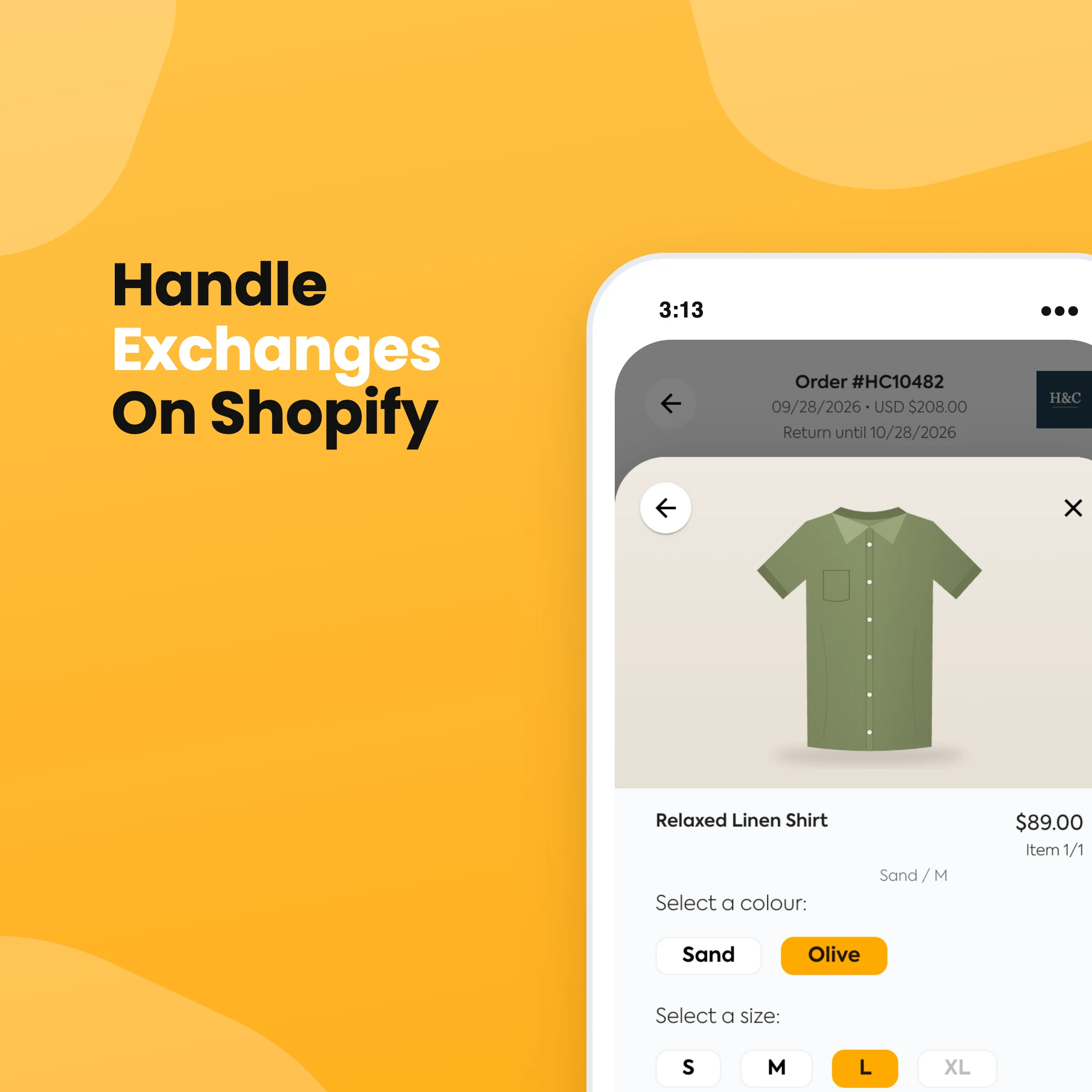


An exchange is the best outcome a return can have. The customer still gets something they want, and you keep the sale. On Shopify, though, exchanges have always been the awkward part of returns. For years the answer was to refund the order and make a new one by hand. Shopify now has native exchanges in the admin, and they cover the basics well. They also have a few limits worth knowing before you promise customers anything.
The short version
In your Shopify admin, open the order and click Return. Choose the items coming back, then under Exchange items click Add products and pick the replacement. Choose return shipping and click Create return. When the original items arrive, process the return, settle any price difference, then fulfil the exchange items.
How to create an exchange on Shopify
- From your Shopify admin, go to Orders and click the order.
- Click Return. If the order has unfulfilled items, click More actions > Return.
- Under Select quantity to return, enter how many of each item are coming back, and choose a Return reason.
- In Exchange items, click Add products, choose the new size, colour or product, and click Done.
- If you want to discount the exchange item, for example to cover a price increase, click its price and add a discount.
- Under Return shipping options, create or upload a return label, or select No shipping required.
- Click Create return.
The customer gets an email listing what they're sending back and what they're getting. If you're on Shopify Plus and don't see the Exchange items section, Shopify says you can switch exchanges on through the feature test drive.
How to process the exchange
Once the returned items arrive, open the order and process the return. What happens next depends on the prices:
- If the new item costs the same, it's an even exchange. The payment for the returned item covers the new one.
- If the new item costs less, you owe the customer the difference. Issue a refund now or later.
- If the new item costs more, the customer owes you. Send them an invoice when you process the return, or collect it later from the order.
Then fulfil the exchange items like any other order. If you need to process only some items first, be careful. Shopify warns that partial processing can give a different financial result, so avoid refunding anything until you know whether you'll need to collect payment for the rest.
Limits of Shopify's native exchanges
- Exchanges only work on fulfilled items that haven't been refunded.
- You can't use custom items as exchange items.
- You can't add exchange items to orders with duties.
- Order-level discounts don't carry over to exchange items. You can add a product discount instead.
- Stock for the exchange item isn't reserved until you process the return. If the last medium sells while the customer's parcel is in the post, you'll be writing an apology email.
- The new item only ships after you process the return, so the customer waits for their parcel to reach you before anything goes out.
With self-serve returns, customers can request a return from their order page, but the exchange item is added on your side when you approve it. In practice that often means an email asking what size they want.
Who pays for shipping on an exchange?
There are two shipments to think about: the item coming back and the new one going out. Some stores charge for both, some charge a flat fee, and plenty make exchanges free because keeping the sale is worth more than the postage. Pick one on purpose and put it in your return policy. We cover the options in more detail in our guide on how to do returns on Shopify.
When a returns app is worth it
Shopify's native exchanges are fine when a customer emails you, you create the exchange, and you're happy for them to wait for the return to land first. When exchanges are a big share of your returns, the manual back and forth costs you time and some of those sales.
With Refundid, customers choose their exchange themselves in your branded returns portal. They pick the new size or colour, and Refundid creates the new order in Shopify for you. If the new item costs more, the customer pays the difference by card as part of the return, or you can choose to cover it. You can also let customers swap for a different product entirely, and offer bonus credit to customers who take store credit instead of a refund.

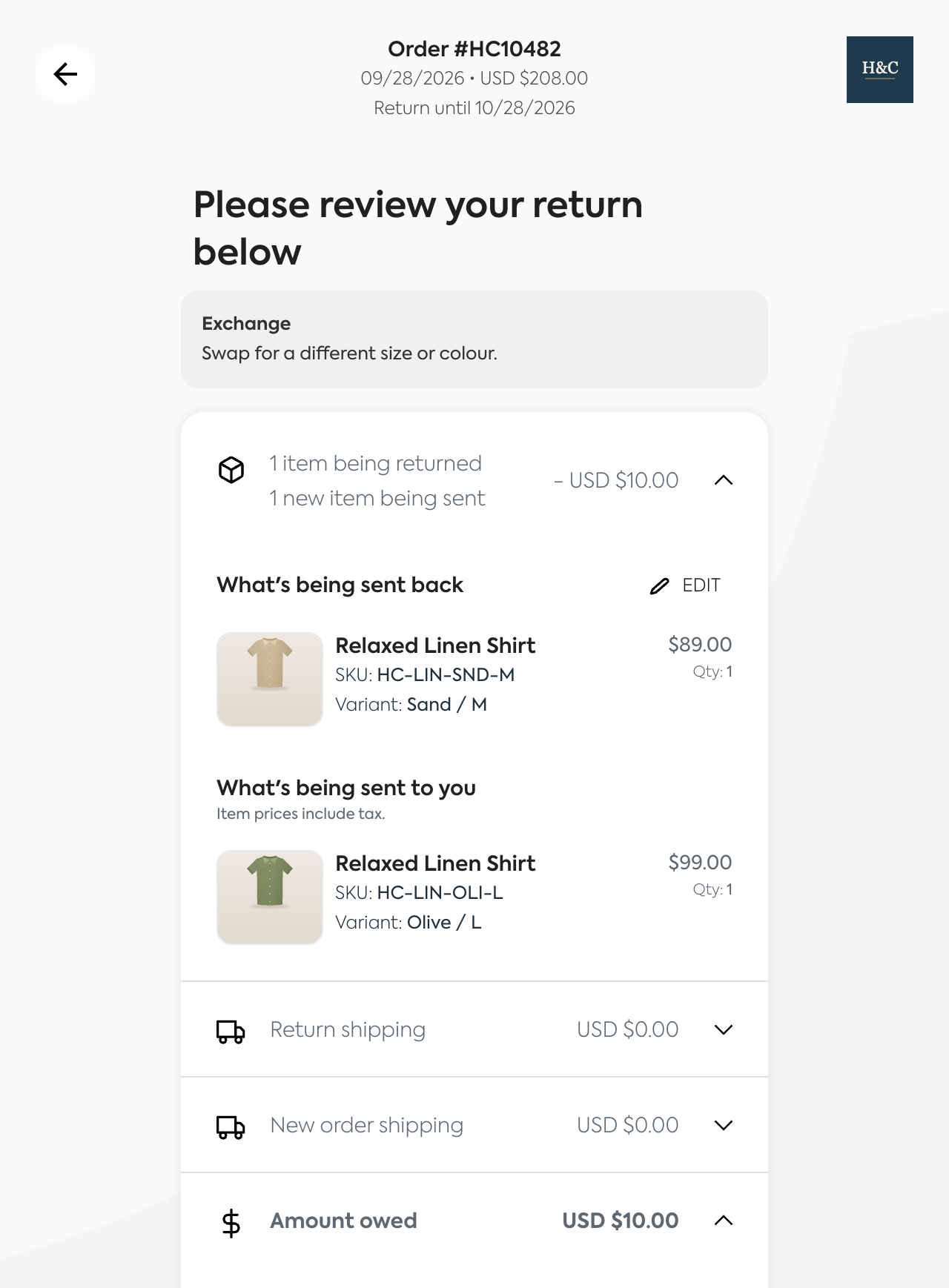
Instant exchanges go a step further. The new item ships as soon as the customer lodges the return, without waiting for the old one to arrive. Refundid carries the risk. If the original item never comes back, you keep both sales.
If the customer spots the wrong size before the order has shipped, there's nothing to exchange yet. An order editing app lets them swap it themselves while the order is still waiting to be fulfilled. We compare the options in our guide to Shopify order editing apps.
If you're comparing apps, start with our roundup of the top Shopify returns apps. Our Shopify returns page covers how exchanges work in Refundid, or book a demo and we'll show you one end to end.