

.avif)




Key takeaways
- Returns management covers a return from the request through approval, shipping, inspection and the refund, exchange or store credit, and software automates the steps your policy allows.
- Look for a self-service portal, automatic prepaid labels, inventory updates on receipt, rules your team can read, exchange handling, tracking notifications, fraud flags and returns reporting.
- Automate approvals only where tracking and rules are reliable, send each item to the location that will restock it, and review return reasons regularly to fix products and sizing.
Returns management is how a retailer handles a return from start to finish: the request, the approval, the label and shipping, checking the item when it arrives, the refund, exchange or store credit, and what happens to the item afterwards. Returns management software runs that process for you, so your team only steps in where it needs a person.
Customers expect returns to be simple and quick, and they remember when they aren't. With so many platforms to choose from, it helps to know which features actually change the day to day. This guide covers how the returns management process works and how to set up your own workflow, then the features to look for in returns management software and how to choose a platform. It also shows how Refundid handles each one, including features from our October releases.
What is returns management?
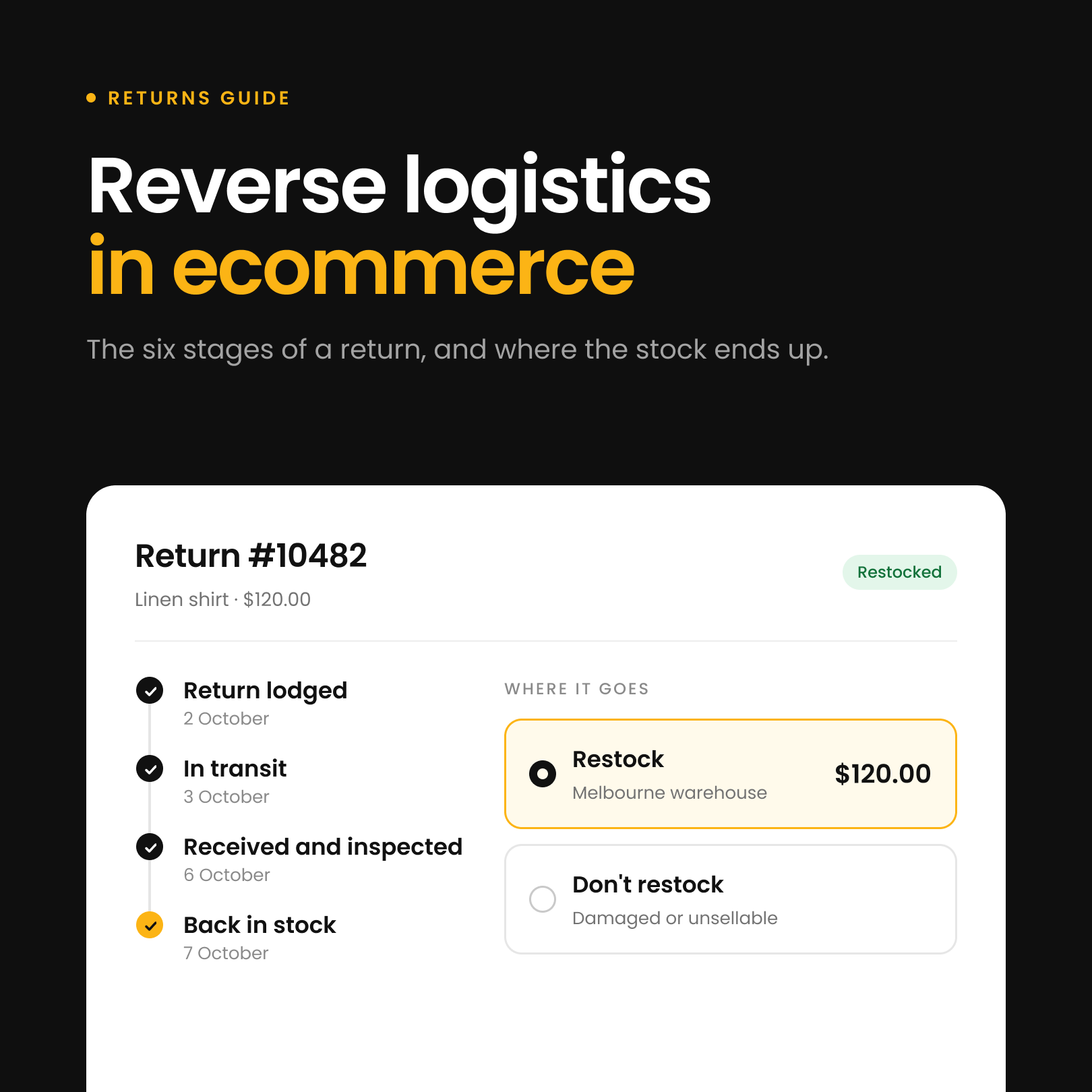
Returns management is the process a retailer uses to handle a return, from the moment a customer asks to send something back to the refund, exchange or store credit at the end. When people focus on the shipping and warehouse side of it, they often call it reverse logistics.
A returns management system is the software that runs the process. It handles approvals, labels, tracking, stock updates and customer emails, and it records why things come back. The right system saves your team time, cuts errors and keeps more sales through exchanges.

How the returns management process works
Most returns go through the same steps, whether the customer starts online or at the counter.
- The customer asks to return an item, through an online returns portal or in store.
- The request is checked against your return policy, such as the return window and which items can come back.
- The customer chooses a refund, exchange or store credit, and how they will send the item back.
- A return label is issued and the parcel is tracked on its way to you.
- Your team receives and checks the item, then approves or rejects the return.
- The refund, exchange or store credit is paid, and the item is restocked, resold or written off.
- Each return adds to your reporting, so you can see what comes back and why.
Each return gets its own reference, usually called an RMA (return merchandise authorization). With instant refunds, the payout moves to the front of the list and the customer is paid before they send the item back. A good platform automates as many of these steps as your policy allows and makes the rest quick for your team.
Why does returns management matter?
Online stores get more returns than shops because customers can't see, touch or try a product before it arrives. Each return costs you shipping, handling and staff time. A slow or confusing return can cost you the customer's next order as well, and many shoppers read the returns policy before they buy, so your returns process affects sales before anything comes back.
A clear process brings the cost of each return down and gets stock back on sale sooner. It also shows you why items come back, which is where stopping some of those returns starts.
How to build a returns management workflow
Writing your workflow down means every return gets handled the same way, whoever picks it up, and it shows you where returns get stuck. Most workflows come down to five steps.
1. Set clear return rules
Decide which products can come back, how long customers have, what condition items need to be in and what proof of purchase you need. Set a return window for each product category and list anything that can't be returned, such as final sale or hygiene items. Once the rules are written down, staff stop making a different call on each request, and your returns platform can approve the straightforward returns automatically and flag the rest for review.
2. Give customers one way to lodge a return
Returns that come in by email, phone and social messages tend to arrive without an order number or with a vague reason, and someone has to chase the details. Send every customer through one returns portal that asks for the order, the items, a reason from a set list and the outcome they want. You get complete information the first time, and customers can track the return without writing to support.
3. Decide the outcome for each type of return
Spell out when a customer gets a refund, an exchange, store credit, a repair or a replacement. For a fit problem, a size swap is usually better for both of you than a refund, and store credit keeps the money in your store. Put these outcomes into your return rules so similar returns end the same way and only the unusual ones go to a person.
4. Inspect items and decide where they go
Check every returned item against the same standard, then decide whether it goes back on sale, gets repaired or refurbished, is sold through another channel or is written off. Sellable stock should go back on sale quickly, particularly anything seasonal. Record the result of each inspection too. If the same fault keeps turning up on one product, that's something to take to your supplier.
5. Measure and improve
Track how long returns take from lodgement to resolution, how quickly refunds go out, how many returns turn into exchanges, how much stock goes back on sale and which return reasons come up most. Look at these numbers every month. They tell you where the workflow is slow and which products or product pages need work.
Spreadsheets and email approvals work for a while. As volume grows, it makes sense to move the rules, the portal and the reporting into one returns platform. Our guide to automated returns covers that step.
Core features that make returns simple
Automated returns processing
A good returns system takes care of the repetitive work: approving requests, generating labels, and issuing refunds or store credit. Automating these steps cuts manual errors, saves your team time and gives customers a smoother return.
Self-service customer portal
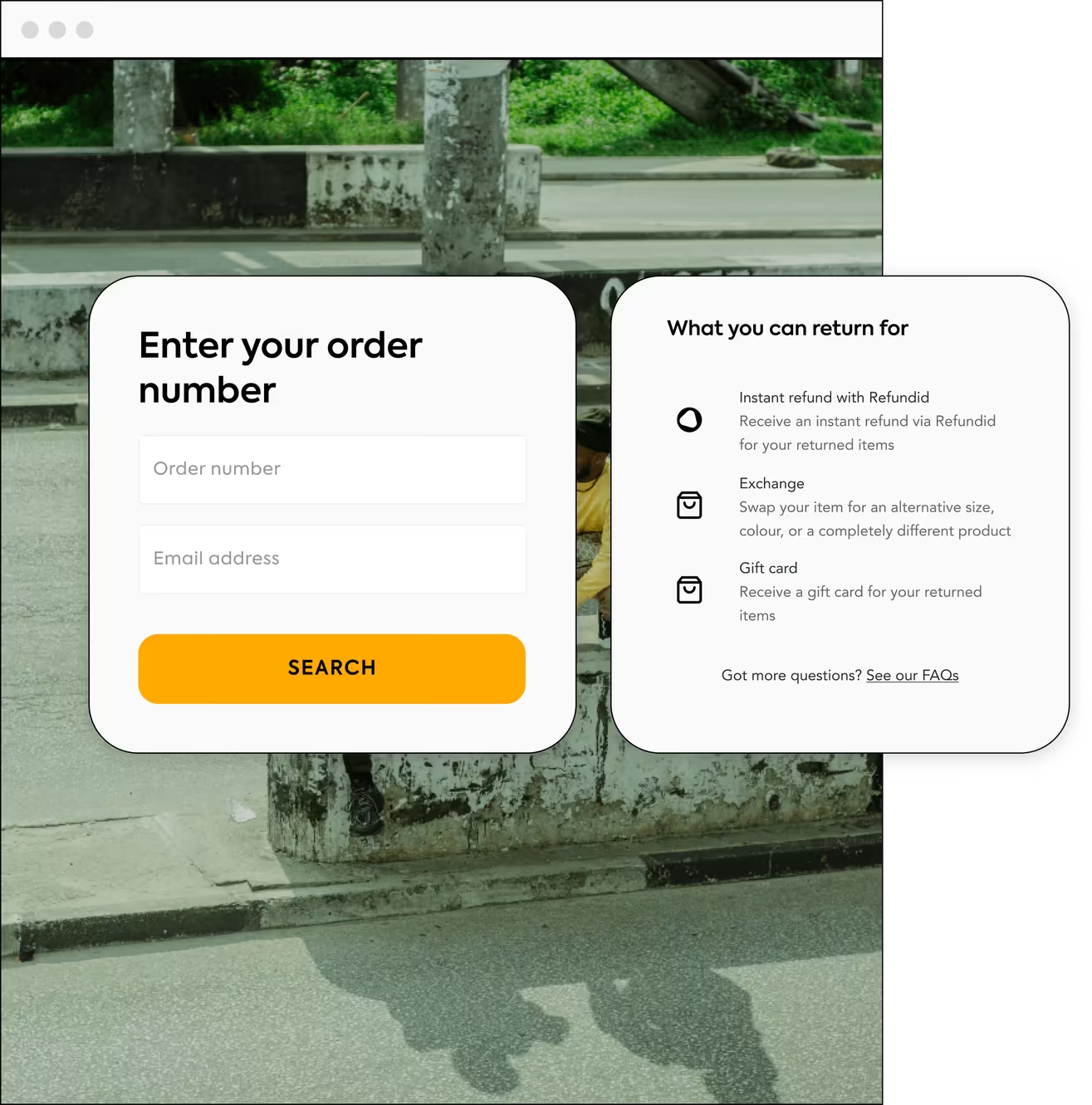
Customers like being in control. A branded self-service portal lets them start a return, track it and manage it without contacting support. Customers are happier, and your support team gets fewer "where is my refund?" emails.
Product names customers recognise
The size and colour names on an order aren't always the names a customer would use. A supplier code or a colour name you have since changed can make it hard to pick the right item to return or the right swap. Your returns platform should let you rename those values. In Refundid, retailers can rename sizes and colours, and customers see the new names on the item selection screen and the exchange screens.
In-store returns on one screen
If you have shops, counter returns should go through the same system as online returns, so stock, refunds and reporting stay in one place. They also need to be quick while a queue builds. In the Refundid POS app and web portal, staff handle an in-store return on a single screen. They search for the order by order number, email, name or phone, choose the items and an outcome for each, check stock by location for exchanges, and lodge the return. A shared store iPad can stay signed in while each staff member enters their own PIN, so every return is recorded against the person who lodged it.
Real-time tracking and notifications
Keeping your team and your customers updated at each stage builds trust. Notifications tell customers when their return has arrived, when their refund is processed and when an exchange has shipped. Staff can follow each return's progress and deal with problems early.
Tracking you can trust before auto-approval
Many retailers approve returns automatically once the carrier reports the parcel as delivered. That only works if the platform reads carrier scans carefully. A "returned to sender" scan usually means the parcel never reached you and is on its way back to the customer. Refundid doesn't treat those scans as delivered, so they can't trigger an automatic approval. The return waits for your team to check it instead.
Integrated inventory management
Returns can throw out your stock levels if they aren't handled properly. Your platform should update inventory as returned items are received, so you can restock faster, resell sooner and keep your reporting accurate.
Exchanges that don't create phantom stock
On Shopify, an exchange draft order holds stock for the replacement item. If the exchange is cancelled, Shopify puts that held unit back into available stock. When your stock count was updated while the hold was in place, the unit may not really be there, and you can end up selling stock you don't have. Refundid lets Shopify retailers stop exchange draft orders from holding stock, so a cancelled exchange can't add stock back. It works best alongside a stock check before the exchange order is created, so you don't promise an item that sold out in the meantime. Our guide to exchanges on Shopify covers the rest of the setup.
Customisable workflows and automation rules
Every business has its own return policy. Look for a platform that lets you set rules based on product type, purchase history or customer segment. For example, you might approve returns for certain products automatically, or offer store credit to loyal customers. Rules let you move quickly on most returns and still treat the odd ones differently.
Rules your team can read
Rules are easy to set up and easy to lose track of. Once you have more than a handful, it gets hard to tell which one applies to which return, and two rules can end up controlling the same outcome without anyone noticing. A good platform shows each rule in plain language, so anyone on your team can see what it does and when it kicks in. It should also show you every rule that sets a particular outcome, like a fee or a refund method, in the order they apply. That makes a clash much easier to find and fix.
Refund and exchange management
You should be able to manage refunds, store credit and exchanges in one system. Steering customers towards exchanges keeps revenue in the business and still leaves them happy. Some platforms also offer instant refunds or instant exchanges, which give customers the confidence to shop again straight away.
Prepaid return labels
Prepaid return labels make sending an item back easy and cut drop-off. Your system should create them automatically, so nobody on your team has to make labels by hand.
Returns that go to the right warehouse
If you ship from more than one warehouse or store, the items in one return can belong in different places. A platform that sends the whole return to a single address leaves your team moving stock between sites afterwards. In Refundid, when your rules send items to different return addresses, the customer gets one parcel per address, each with its own label, instead of everything going to the first warehouse.
A check before adding items to a posted parcel
Letting customers add a second return to a parcel they are already sending saves them a label. It goes wrong when that parcel is already with the carrier and the new items aren't inside. The new return picks up the old parcel's tracking, the items never arrive, and the return gets rejected. Refundid checks whether the carrier has already scanned the parcel. If it has, the customer has to confirm the items are already in it before the returns are combined, or they can get a new label instead.
Courier pickup returns
Not every customer can get to a drop-off point easily, and a courier collecting from their door removes that step. Refundid is piloting EU courier pickup returns for returns where both the customer and the return address are in the EU. The customer books the collection in the returns portal and sees the collection day and time window before they confirm. It's part of how we handle global returns.

Advanced features that give you an edge
Multi-channel and integrations
A return usually touches more than one system: your online store, your warehouse or fulfilment partner, and your carriers. The best platforms connect to all of them, so a return moves through one process instead of being re-keyed at each step.
Data analytics and reporting
You can't fix what you can't see. Returns analytics show why products come back, what each return costs and how that changes over time. That tells you which product descriptions, size guides or packaging to fix, which is how you reduce returns over time.
Filtering returns by region
Your returns dashboard should let you slice returns the way you run the business. If you sell overseas in one currency, filtering by currency won't separate your markets. Refundid's dashboard can be filtered by delivery region, so an Australian retailer selling into New Zealand in Australian dollars can see just its New Zealand returns.
Fraud prevention tools
Some customers abuse return policies. A good platform flags suspicious patterns and high-risk customers before money goes out. Our guide to return fraud covers the common types and how to stop them.
Automated customer communication
Timely updates stop customers worrying about their return. Automatic emails or messages confirm when a return has been received, processed or shipped, which means fewer support tickets for you.
Disposition management
Not all returns are equal. Your platform should let you decide what happens to each returned item: restock it, refurbish it, resell it elsewhere or recycle it. Getting this right recovers more of the item's cost and keeps waste down.
Returns management best practices
- Write a clear return policy and show it in your returns portal, not only in your website footer.
- Offer exchanges and store credit alongside refunds, so a return doesn't have to mean a lost sale.
- Automate approvals where your tracking and rules are reliable, and keep a person on the edge cases.
- Send each item back to the location that will restock it.
- Run in-store and online returns through one system, so stock and reporting match.
- Review your return reasons regularly and fix the product pages, sizing or packaging behind them.
How to choose returns management software
Most returns platforms cover the basics. Where they differ is how well they fit your store, your systems and your team. Check these before you sign up:
- It works with your ecommerce platform and with the warehouse, POS and carrier tools you already use. Our guide to integrating a returns portal covers what connects to what.
- It's fast for customers. The sooner someone has their refund or replacement, the more likely they are to buy again, which is why some platforms offer instant refunds and exchanges.
- Its reporting breaks returns down by product, variant and reason, so you can act on it.
- Its rules can match your policy without workarounds.
- Its support team answers when something breaks, for your staff and for your customers.
For side-by-side comparisons, see our roundups of returns management systems for Australian stores and Shopify returns apps.
What large retailers need from a returns platform
At enterprise volume the list gets longer. Returns data has to flow into your ERP, CRM and POS systems rather than sit in a separate tool. If you sell in more than one country, the platform needs local carriers, cross-border returns and a policy per region. Policy checks, labels, tracking updates, refunds and exchanges all have to run without manual steps, because nobody can process thousands of returns a week by hand. And customers should get the same experience whether they return online, in store or at a drop-off point.
How Refundid handles returns management
Refundid brings these features together for your team and your customers.
- Instant refunds. Customers can get their money in under 30 seconds, before they send the item back.
- Automatic refund and exchange processing once a return is approved.
- Return rules you can read, built on a board that reads like a sentence, showing which rule wins when several set the same outcome.
- A self-service returns portal with prepaid labels, renamed sizes and colours, one parcel per return address, and a check before combining returns into a parcel that's already been scanned.
- One-screen in-store returns in the POS app and web portal, with staff PINs.
- EU courier pickup returns, in pilot for returns within the EU.
- Real-time tracking and notifications, with "returned to sender" scans kept out of auto-approval.
- The option for Shopify retailers to stop exchange draft orders holding stock.
- A dashboard you can filter by delivery region, plus data on return patterns and repurchase behaviour.
- Integrations with Shopify, WooCommerce, BigCommerce and Magento.
Want to see how it would work for your store? Book a demo.